
Garment mockup
Embroidery mockup generator: see your design on the garment
StitchMyPic's mockup shows your stitched design on a t-shirt, hoodie, polo shirt, cap, tote bag, towel or jacket back at its real size in millimetres. Pick the garment colour and placement, check that the design fits the usual embroidery area, and export a 2000 px PNG for a shop listing or a customer approval.
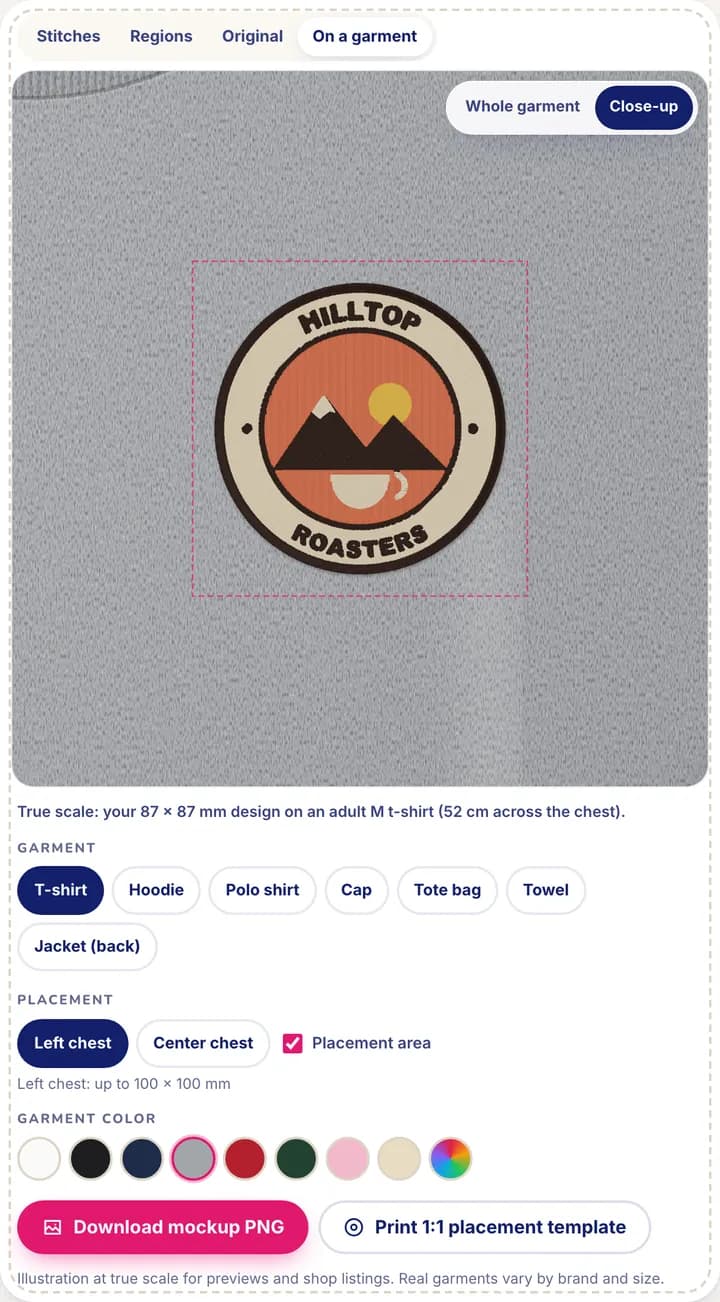
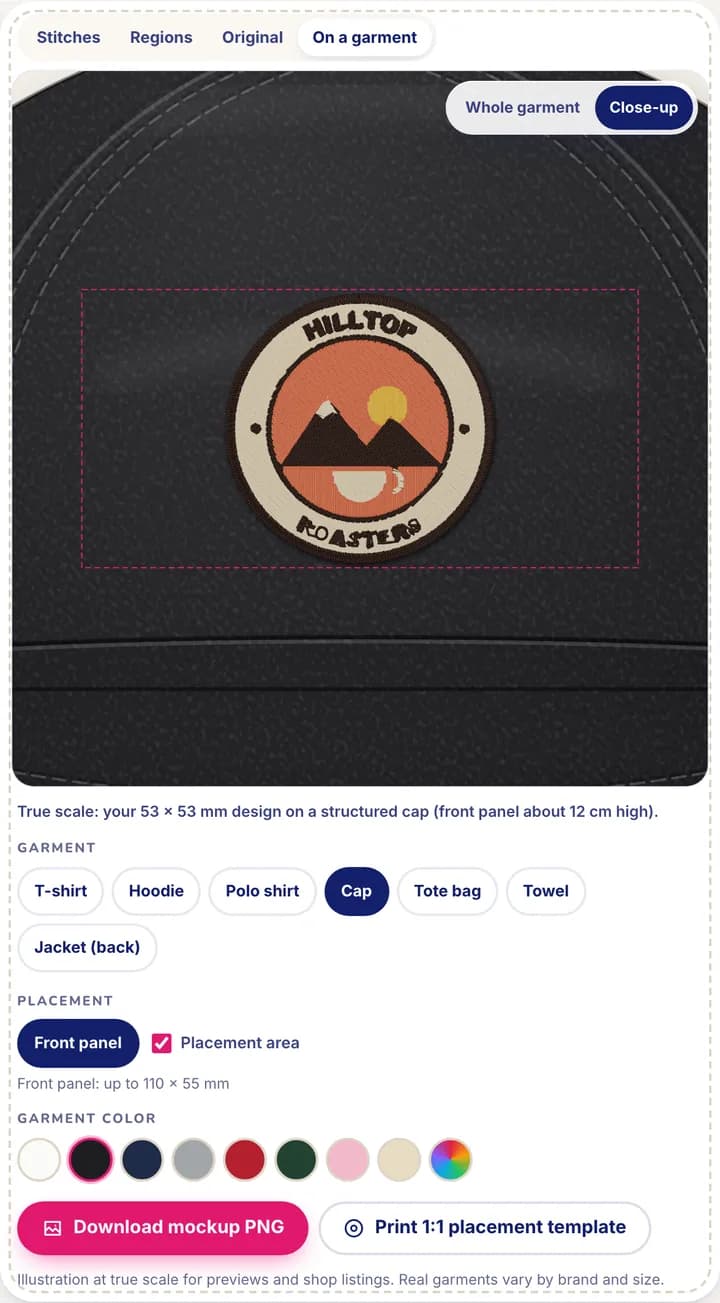
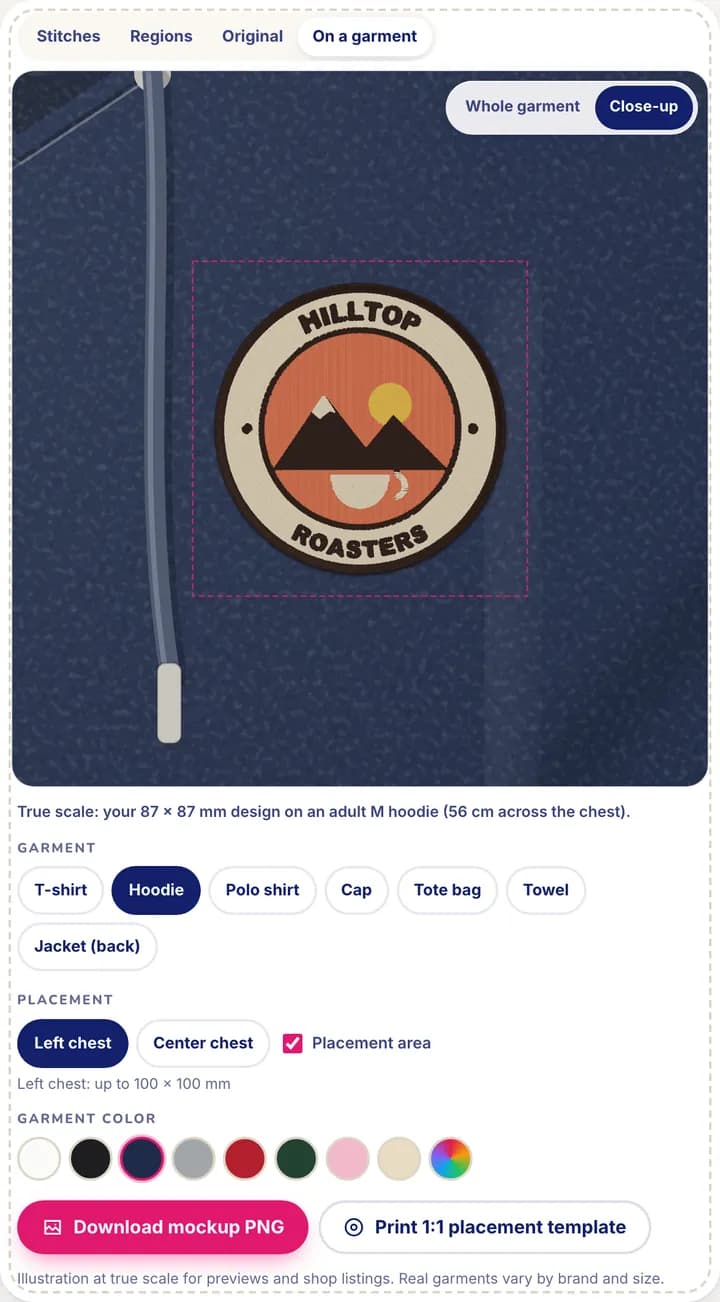
A preview on plain fabric doesn't tell you whether a 3.5 in (90 mm) logo looks right on a chest, or whether it swallows the front of a cap. The “On a garment” view in the editor draws each garment in real millimetres (adult size M and standard blanks), so the design sits on it at true scale, rendered as thread with a soft shadow under the stitches, not as a flat picture.
How it works
- 1
Digitize your picture
Upload a logo, drawing or photo and set its size in the editor. The mockup uses the actual stitch preview, so what you see on the shirt is what the file will sew.
- 2
Pick a garment and a placement
T-shirt, hoodie, polo shirt, cap, tote bag, towel or jacket. Placements follow the garment: left chest, center chest, cap front panel, tote center, towel corner or full back.
- 3
Choose the colour and framing
White, black, navy, heather gray, red, forest green, pink, natural canvas or any custom colour. Switch between a close-up and the whole garment.
- 4
Check the fit and export
A dashed outline marks the usual area for the placement and turns into a warning when the design is bigger than it, or bigger than your hoop. Download the mockup as a 2000 × 2000 px PNG.
Why it helps
True scale, not a guess
The t-shirt is 20.5 in (52 cm) across the chest, the cap's front panel about 4.7 in (12 cm) high, the tote 15 × 16.5 in (38 × 42 cm). A 3.5 in (90 mm) chest logo looks exactly as big as it will be.
Real stitches on real-looking fabric
The design is drawn from its stitches, with jersey, piqué, fleece, twill, canvas or terry texture depending on the garment, and fold shading over the embroidery.
Approvals and listings before you sew
Send the PNG to a customer for sign-off, or add it to your shop listing photos while the blanks are still on order.
Size problems caught early
Each placement has a usual maximum area. Go over it and the mockup tells you, with the exact size to aim for, before you waste a garment.
Placement areas used by the mockup
These are the usual maximum embroidery areas the mockup checks against. They are common starting points, not rules: your blank and your customer decide.
- T-shirt: left chest up to 3.9 × 3.9 in (100 × 100 mm), center chest up to 11 × 11.8 in (280 × 300 mm) (adult M, 20.5 in / 52 cm chest)
- Hoodie: left chest up to 3.9 × 3.9 in (100 × 100 mm), center chest up to 9.8 × 9.1 in (250 × 230 mm) (adult M, 22 in / 56 cm chest)
- Polo shirt: left chest up to 3.7 × 3.1 in (95 × 80 mm)
- Cap: front panel up to 4.3 × 2.2 in (110 × 55 mm) (structured cap)
- Tote bag: center up to 11 × 11 in (280 × 280 mm) (15 × 16.5 in / 38 × 42 cm bag)
- Towel: corner up to 5.5 × 5.5 in (140 × 140 mm) (20 × 33 in / 50 × 84 cm hand towel)
- Jacket: full back up to 11.8 × 11.8 in (300 × 300 mm) (adult M, 22 in / 56 cm across the back)
A design larger than your hoop can still be sewn: see splitting a design into several hoopings.
Good to know: the limits
- The garments are illustrations drawn at true scale, not photos of your blank. Real garments vary by brand and size; the mockup uses an adult size M.
- You can't upload your own garment photo. The built-in garments are what make true scale possible.
- One design on one placement at a time: a chest + sleeve order needs one mockup per placement.
- Fabric stretch and puckering aren't simulated. A test stitch-out on the real fabric is still the final check.
Questions and answers
Is the embroidery mockup free?
Yes. The mockup, the stitch preview and the PNG export are free with a free account. You only spend a credit when you download the embroidery file itself.
What size is the exported mockup?
A 2000 × 2000 px PNG of the current view (close-up or whole garment), without the dashed placement outline. That is large enough for most marketplace listing photos.
Can I put my design on a photo of my own shirt?
Not at the moment. The mockup uses built-in garment illustrations drawn in millimetres, which is what lets it show your design at its real size.
Why does the mockup say my design is too big?
Each placement has a usual maximum area, for example 3.9 × 3.9 in (100 × 100 mm) for a left chest or 4.3 × 2.2 in (110 × 55 mm) for a cap front. When your design is larger, the outline turns red and a message gives both sizes. Make the design smaller under Size, or pick another placement.
Can I try it without an account?
Yes: the demo on this page puts our sample badge on every garment. To see your own design, try the free preview and create a free account to open it in the editor.
Related features
All features1:1 placement template
Print the design at its exact size with a centre crosshair to mark the garment.
Sew-out simulator
Watch the design embroider stitch by stitch, in the order your machine will sew it.
Split large designs
Sew a design bigger than your hoop in several hoopings, with alignment crosses and a guide.