
Teams & shops
Embroidery software for shops and teams
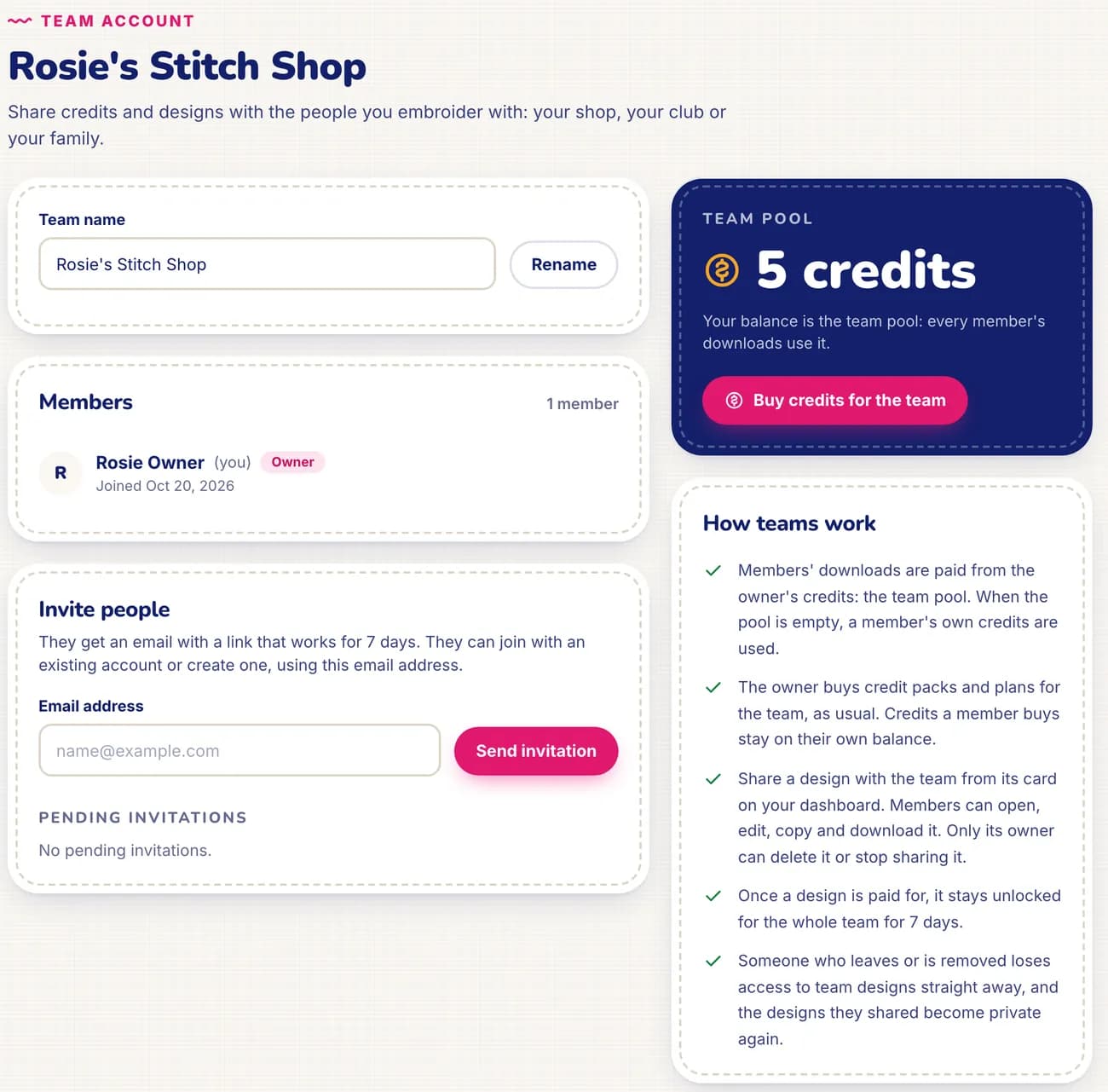
StitchMyPic team accounts let a shop, club or family share one credit pool and a library of designs. The owner's credits are the team pool: members' downloads are paid from it first, then from their own credits. Shared designs can be opened, edited, copied and downloaded by every member. Up to 25 people per team.
In a small shop, the person who takes the order, the person who digitizes and the person at the machine are often not the same. With a team, the files and the credits live in one place: nobody waits for a password, and the owner sees one balance instead of reimbursing five.
How it works
- 1
Create the team
Give it a name on the Team page. You become the owner, and your credit balance becomes the team pool.
- 2
Invite people by email
Each invitation link works for 7 days. People join with an existing account or create one, using the invited email address.
- 3
Top up the pool
The owner buys credit packs or a monthly plan as usual. Plan credits are added every month and never expire.
- 4
Share designs
Share a design with the team from its card on your dashboard. Members can open, edit, copy and download it.
Why it helps
One balance for the shop
Every member's downloads come out of the same pool. The owner tops it up once instead of managing everyone's purchases.
A shared design library
Customer logos, club crests, recurring names: shared designs are available to everyone on the team, ready to resize or re-export.
Access that follows people
Someone who leaves or is removed loses access to the team's designs straight away, and the designs they shared become private again.
Personal credits stay personal
Credits a member buys stay on their own balance, and they keep them if they leave.
How credits work in a team
- The owner's balance is the team pool. Every member sees what they can spend: the pool plus their own credits.
- A member's download is paid from the pool first. When the pool is empty, the member's own credits are used.
- Purchases always credit the person who pays. The owner buys for the team; a member who buys credits keeps them for themselves.
- Once a design is paid for, it stays unlocked for the whole team for 7 days: re-exports in any size, colours or format are included.
- Leaving keeps your own credits. Deleting the team returns every shared design to its owner, and the owner keeps the pool.
Teams work with any credit pack or plan. For a busy shop, the Studio plan's 100 credits a month is the usual fit: unused credits roll over, so a quiet month isn't lost. See pricing.
Good to know: the limits
- One team per person, and up to 25 people per team, the owner included.
- Two roles only: the owner manages members, invitations and the pool; members use them. There are no per-member spending limits.
- Only a design's owner can delete it, stop sharing it, create share links or manage its saved versions.
- Purchases can't be split between members: whoever pays gets the credits.
Questions and answers
Do team accounts cost extra?
No. Creating a team is free. You only buy credits, as packs or a monthly plan, and the owner's credits become the team pool.
Does each member need an account?
Yes, a free StitchMyPic account with the email address the invitation was sent to. They can create it from the invitation link.
What happens when the team pool is empty?
A member's downloads are then paid from their own credits, if they have any. The owner can top up the pool at any time from Credits & billing.
Can members see my private designs?
No. Members only see the designs that were shared with the team. Everything else stays private to its owner.
Which plan suits a shop?
Any pack or plan works. Shops that digitize every week usually pick a monthly plan, and the Studio plan (100 credits a month) is made for that volume. Credits never expire. See pricing.
Related features
All featuresGarment mockup
Your stitched design on a t-shirt, hoodie, cap, tote or jacket at true scale, exported as PNG.
Sew-out simulator
Watch the design embroider stitch by stitch, in the order your machine will sew it.
My machine & my threads
Your hoop, file format, machine speed and the spools you own, from 75 thread charts.